
Choose a photo that shows the complete subject you want in the stunt. For a car, that means the body and wheels. For a person, it means the face, outfit, hands and feet. A close crop may look good as a photograph while leaving out information the video needs.
You do not need to photograph a ramp or capture a real jump. The fixed reference supplies the action; your image supplies the look.
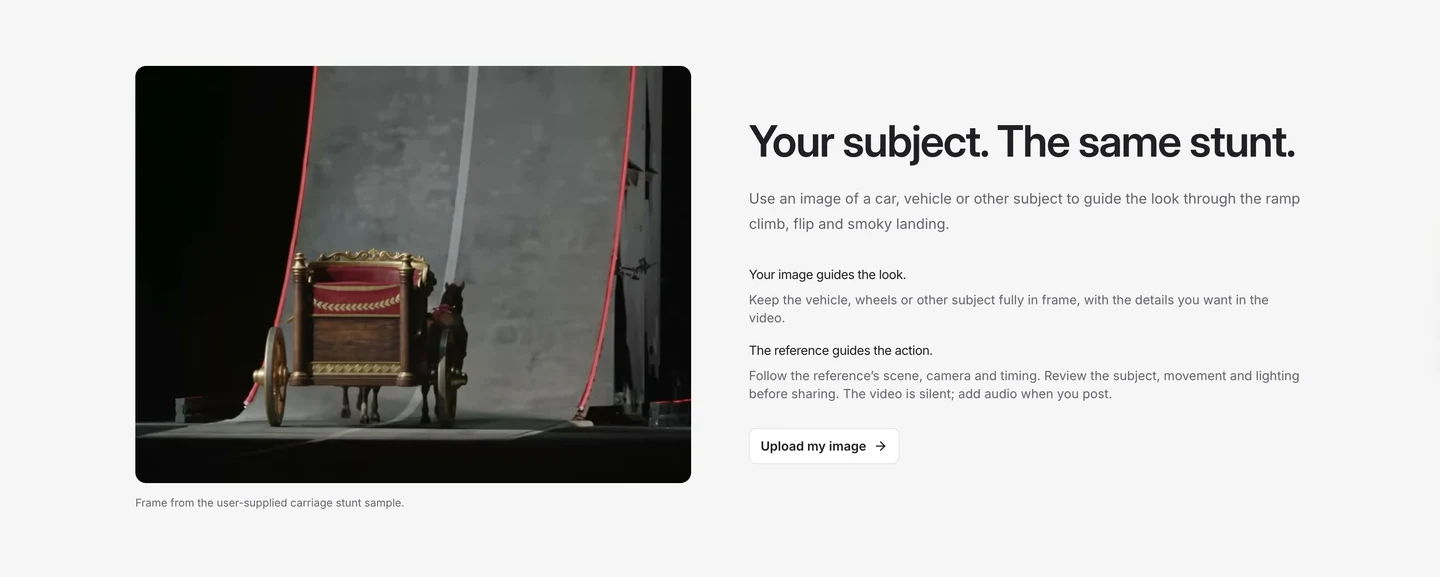
The site's subject-image guidance, shown in English. The scene pictured comes from a user-generated Roadster AI carriage video; it is not an input/output test for this article.
For a car, keep the whole shape in frame
Start with a clear view of the bodywork and visible wheels. Check the roof, bumpers and bottom edge of the picture. If a wheel is already cut off, the source image has left part of the car unspecified.
A view that makes the overall shape easy to understand is more useful than a close-up of the badge or headlights. Keep the original paint and large details visible. There is no custom-prompt field here to explain an unseen part of the vehicle.
Look for avoidable obstructions: another parked car overlapping the body, a person blocking a wheel, or deep shadow hiding the lower half. A different photo can remove that ambiguity before you spend credits.
Do not expect the tool to reproduce readable plates or tiny logos perfectly. Check those details in the result if they matter to your intended use.
For a bicycle or carriage, check the moving parts
Keep the wheels and main frame visible. If the image includes a rider, show how the hands and feet relate to the vehicle. Overlapping shapes can be hard to interpret even in the original photo.
The photo does not have to show a stunt pose. Use an ordinary, clear view of the subject instead of trying to stage a dangerous action. The template supplies the climb and flip.
For a person, include the outfit and full body
A face-only selfie may identify the person, but it leaves the trousers, shoes and body outline unspecified. A full-body photo provides more of the intended appearance. Keep the face readable at normal viewing size and use a photo you have permission to use.
Avoid obvious blur, heavy filters and several people overlapping. If a coat, bag or helmet matters, include it clearly. Dark clothing against a dark background, or a shoe cropped at the bottom edge, makes both input and output harder to judge.
When there is no vehicle in the image, the generation is instructed to remove the original vehicle and use movement suited to the subject. You do not have to add a bicycle just because the reference contains one. The template guide explains this boundary.
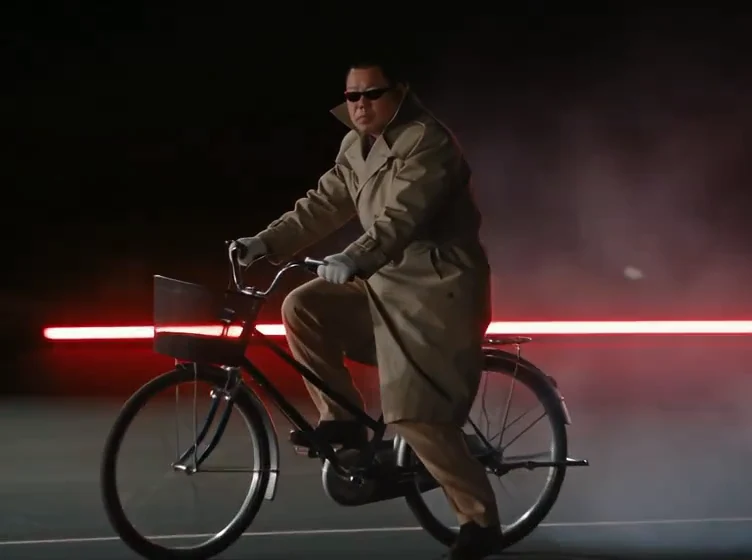
The reference at about 13.5 seconds illustrates the details visible in a person-and-vehicle shot. It is not the original uploaded photograph or a fresh generation.
Keep the file clear, not just large
Use the original image when possible. Repeated screenshots and compressed messenger copies can discard detail before upload. Enlarging a small picture does not restore what is missing.
The upload accepts one JPG, PNG or WebP, up to 20 MB. If an image is too large, resize a copy and keep the original. Check that the smaller version still shows the subject clearly.
A quick review before uploading
| Check | A useful starting point | Choose another photo when… |
|---|---|---|
| Subject | One clear intended subject | Other people or vehicles overlap it |
| Framing | Complete body or bodywork | Important parts are cropped |
| Vehicle | Wheels and main structure visible | Obstructions hide the shape |
| Person, if present | Readable face and complete outfit | Blur or a close crop removes details |
| Background | Subject separates from its surroundings | Subject and background merge |
| File | JPG, PNG or WebP, at most 20 MB | Format or size is unsupported |
A complete image gives the template clearer information. It does not guarantee an unchanged car, a perfect face or flawless motion. We have not measured success rates by photo type for this guide. Use the checklist to remove visible input problems, then review the whole output.