
For the built-in ramp, flip and smoky landing, Roadster ai gives you a prepared sequence with one photo. For a scene you want to direct yourself, start by looking at Runway. Adobe Firefly is another option when the brief depends on image keyframes or a camera-motion reference.
The best AI video generator for a car stunt depends on which of those jobs you have. A tool that lets you describe any scene asks you to make more creative decisions. A fixed template makes some of those decisions for you.
We make Roadster ai. This comparison uses its current workspace and the linked official documentation for the other products, checked on October 19, 2026. We did not generate the same car in all three tools or measure their quality, speed or success rate.
Choose the workflow before the brand
| Your brief | Start here | What you still need to do |
|---|---|---|
| Put your car into the built-in ramp-and-flip sequence | Roadster ai | Supply a clear photo and review the result |
| Create a different scene, action or camera move | Runway image-to-video | Write the movement prompt and iterate |
| Guide a shot with image keyframes or camera motion | Adobe Firefly Video | Prepare the reference and configure the shot |
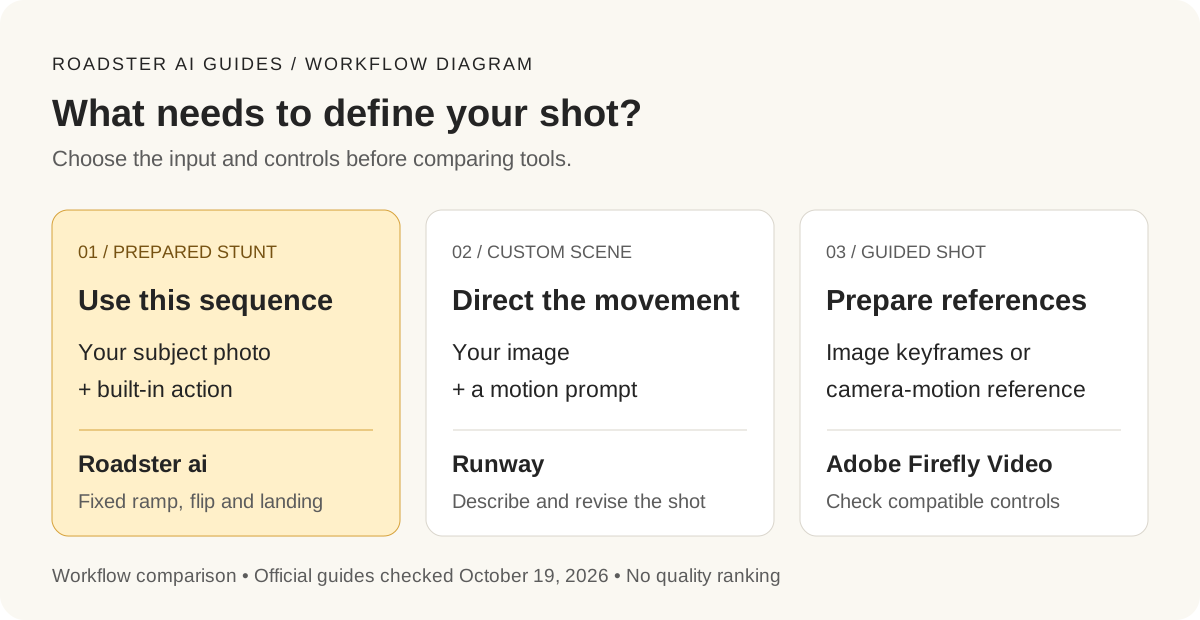
Original workflow diagram. This compares the creative decisions involved, not generated video quality. The labels are in English.
Roadster ai: when you want this particular stunt
Open the workspace and watch the whole reference. If the climb, flip and landing are what you want, upload one JPG, PNG or WebP of up to 20 MB. Keep the complete car and wheels in view. You do not need a prompt or your own stunt footage.
The current output is about 14 seconds, 4:3 landscape and silent. Standard 480p uses 50 credits; HD 720p uses 100. The same sequence runs in both quality settings. See the pricing explanation before choosing a pack.
That is also the limit of the recommendation. This workspace does not expose a new location, a custom reference upload or a vertical-output setting. If your brief says “my car drifting through a snowy city,” the prepared ramp is the wrong starting point.
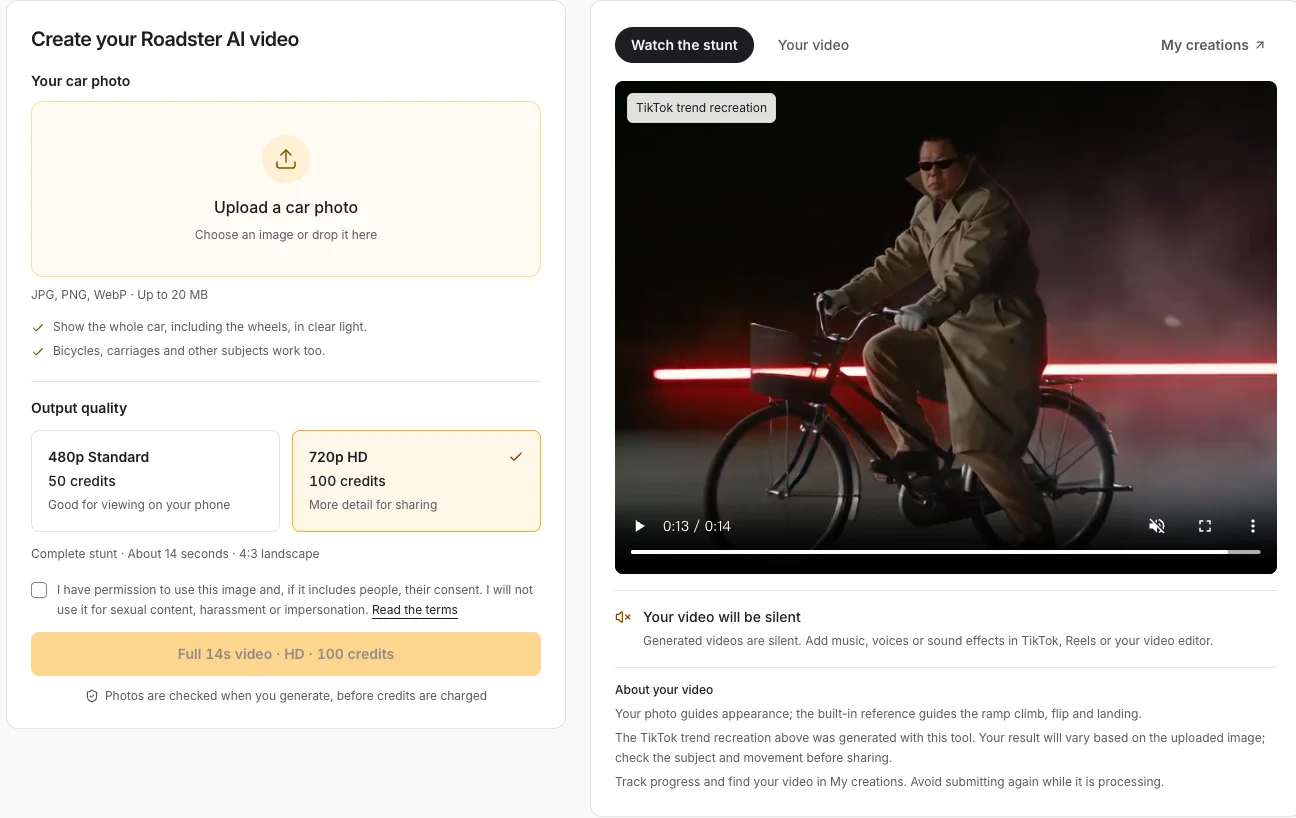
The live Roadster ai workspace on October 19, 2026. The preview is the built-in reference, not a new result generated for this comparison.
Runway: when the scene needs your direction
Runway's Gen-4.5 guide documents image-to-video with a text prompt. That makes it worth considering when your car video needs an action or setting outside Roadster ai's sequence.
For example, a proposed brief might be a slow camera move around a parked car, followed by a short acceleration shot. Treat those as separate shots to evaluate, rather than assuming one long prompt will deliver a finished edit. This is a suggested planning approach, not a tested Runway output.
You gain control over the brief, but you also take responsibility for the prompt and revisions. Inspect the selected model's current settings and cost before generating. A Runway credit and a Roadster ai credit are different units; their counts alone do not show which finished video costs less.
Adobe Firefly: when references define the shot
Adobe documents first and last image frames and a separate camera-motion reference workflow for Firefly Video. These are useful controls to investigate when the opening composition or camera move matters to the brief.
A camera reference describes how the camera moves. It does not establish that a car will perform the same flip, keep identical bodywork or land at precisely the same point. Check the documented input limits and available controls for the selected model before preparing footage.
Judge the finished clip by the details that matter
Watch at normal speed first. Then pause where the car rotates and where the wheels meet the ground. Look for a changing wheelbase, disappearing body panels, an added driver or a shadow that separates from the car.
For a casual social post, small background changes may be acceptable. For a vehicle listing where exact condition and trim matter, use real footage for those factual details. Choose your acceptance criteria before paying for repeated attempts.
If the built-in sequence fits, follow the photo-to-stunt tutorial. If it does not, the Runway alternatives guide explains when switching workflows helps and when it merely creates more setup.