
If you want a Runway alternative because you only need a ready-made car stunt, consider Roadster ai. If you want to build a shot around image keyframes or camera motion, investigate Adobe Firefly Video. Neither choice replaces every part of Runway.
Start with what you want to change: the amount of prompting, the reference controls or the budget. Switching products without answering that question often means learning another interface while keeping the same unresolved brief.
This guide is written by the Roadster ai team. We checked our workspace and the linked official documentation on October 19, 2026. It is a comparison of workflows, with no paid side-by-side generation test or independent review score.
What are you replacing in Runway?
Runway's current Gen-4.5 guide describes a photo-and-prompt workflow. If that already gives you the input and creative control you need, an alternative should solve a specific remaining problem.
| Reason for looking elsewhere | Workflow to investigate | Main tradeoff |
|---|---|---|
| You do not want to write a stunt prompt | Roadster ai's built-in sequence | You accept its scene, timing and frame |
| You need image endpoints or camera-motion guidance | Adobe Firefly Video | You prepare and configure the references |
| You need a different scene with detailed direction | Reassess Runway alongside other general tools | A fixed Roadster ai template cannot cover that brief |
| You want a cheaper finished video | Compare total spend on accepted outputs | Credit counts and headline pack prices are insufficient |
Alternative 1: Roadster ai for the prepared ramp stunt
Roadster ai removes the prompt-writing step for one particular effect. Upload a complete subject photo, select 480p or 720p and use the built-in ramp, flip and landing reference. Cars, bicycles and carriages are among the subjects shown in the site's user-generated gallery.
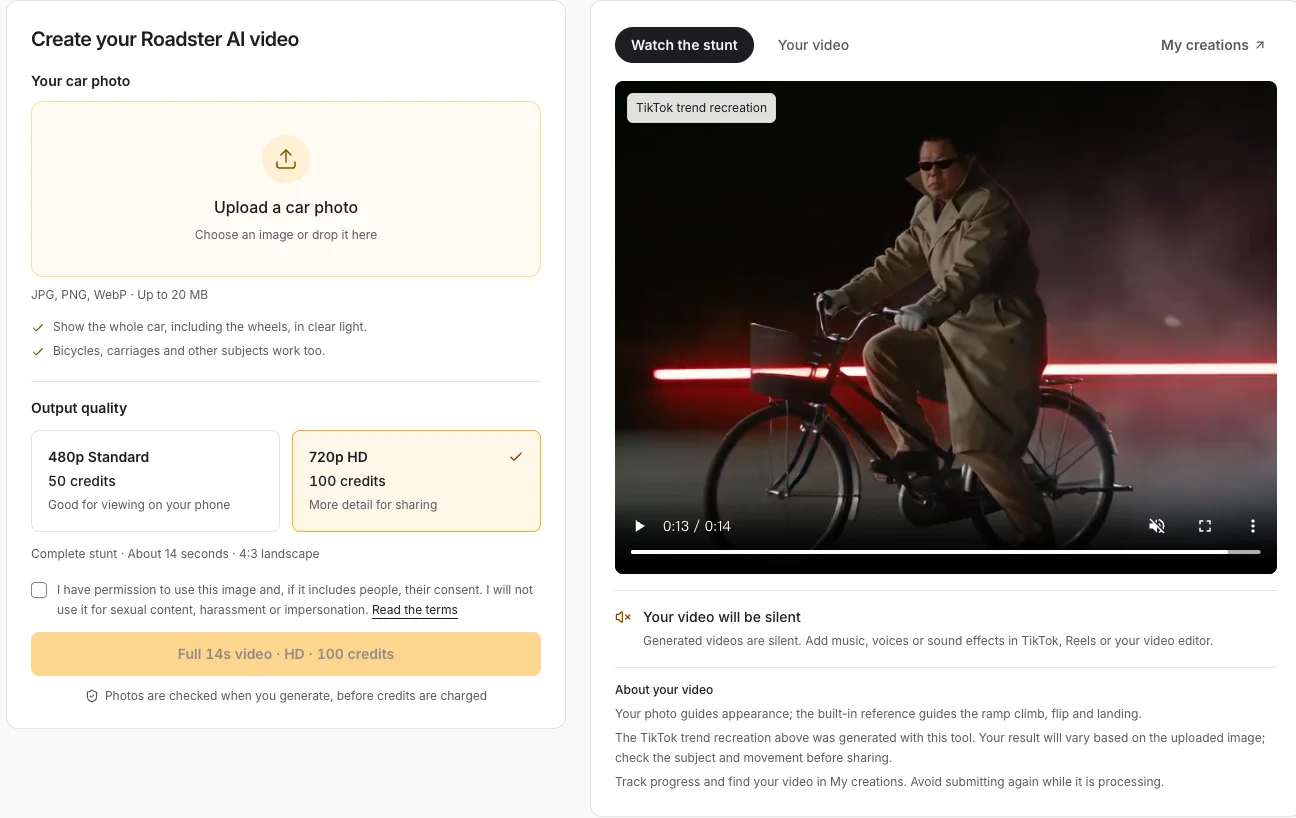
Actual Roadster ai interface, captured October 19, 2026. The reference preview demonstrates the intended sequence; it is not an output from a Runway comparison test.
This is a narrower workflow. You cannot upload an arbitrary reference video, edit the prompt or select a different background here. The output is about 14 seconds in 4:3 landscape, with no audio. A vertical social edit requires an additional framing decision, explained in the Shorts guide.
Choose it when the sequence itself is the reason you are generating. If you already have a shot list that specifies a different location or movement, keep looking at tools that expose those controls.
Alternative 2: Adobe Firefly for reference-guided shots
Firefly's official image-to-video guide explains image endpoints. Its camera-motion guide explains how a reference clip can guide camera movement when Firefly Video is selected.
Those controls are relevant if your difficulty is specifying composition or the camera path. They still require preparation. Decide what the first frame should show, whether an ending frame is necessary and which part of the movement you are trying to guide. Consult Adobe's current guide for compatible inputs and settings.
Do not treat camera-motion matching as full action transfer or guaranteed subject replacement. Those are different requirements, and the presence of a reference-upload control does not prove them.
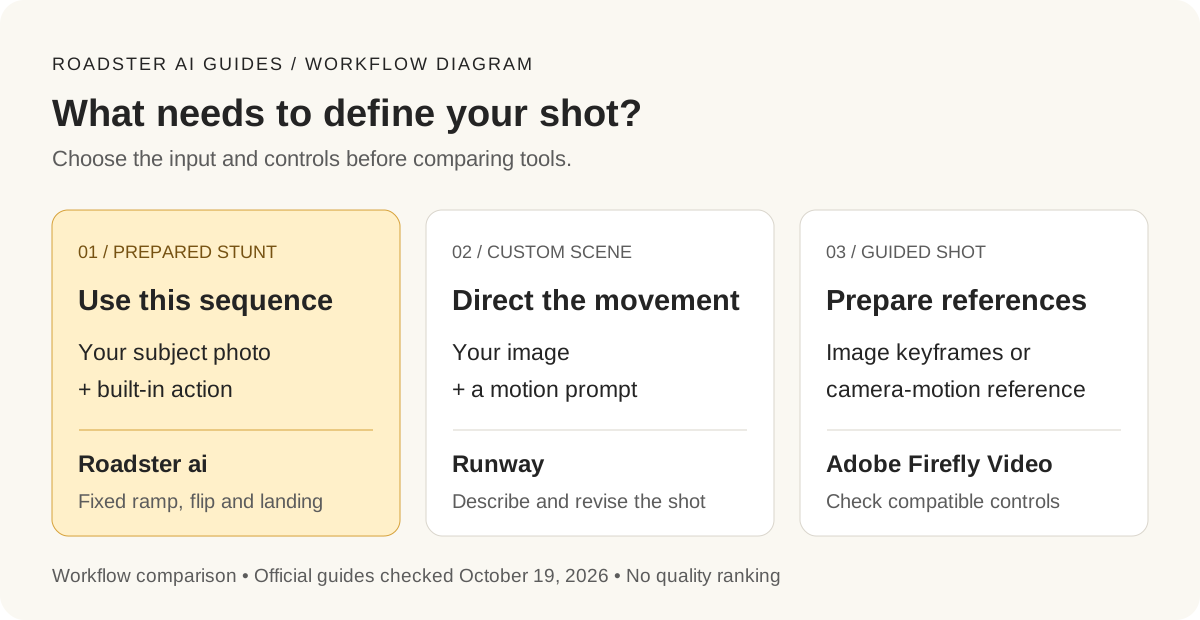
Original diagram with English labels. Choose the decisions you need to control before comparing subscriptions or credit packs.
Compare the cost of a usable result
Write down the output you will accept: duration, framing, required car details and the action. Then include retries and any editing in the budget. Ten inexpensive attempts can cost more than one suitable result, but we have no measured attempt counts for these tools.
Roadster ai offers one-time credit packs and charges 50 credits for Standard or 100 for HD. The pricing guide shows what each pack covers. Check the other provider's current model and plan terms directly; credits cannot be compared one for one across products.
Before switching, ask one practical question: does this tool expose the control your current workflow is missing? If the answer is a prepared stunt, watch the complete Roadster ai reference. If it is a new scene or precise shot direction, evaluate those controls first.